



How to Fix Microsoft Word Error: “Sorry, we couldn’t open the site” for docx Files on Network Share
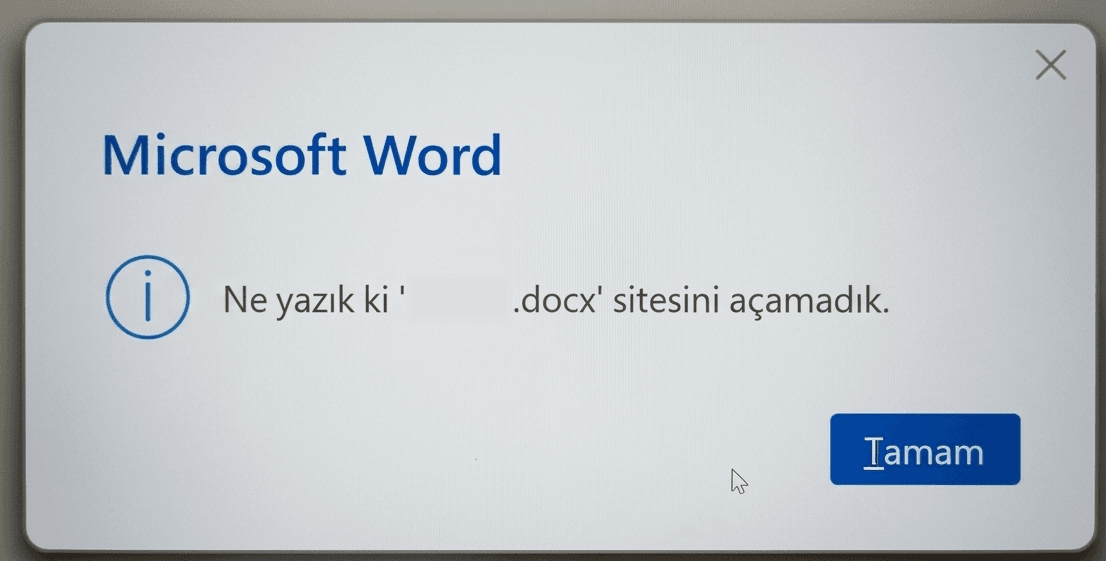
Are you getting “Sorry, we couldn’t open the site” error when opening docx files from a file server? Learn how to fix this Word network protocol issue using DisableRobustifiedUNC registry key.
İçindekiler
ToggleIntroduction
IT administrators often face a specific, confusing error: Word opens .doc files perfectly from a network share, but when it comes to .docx files, it throws the error: “Sorry, we couldn’t open ‘H:\file.docx’ site.” The fact that the file opens locally but fails on the mapped drive points to a protocol negotiation failure between Microsoft Word and your File Server.
Why Does This Happen?
The key word here is “site”. Modern Office formats are XML-based. When opening these files over a UNC path or mapped drive, Word uses a mechanism called Robustified UNC to ensure the connection is stable and secure. If a Windows Update or server-side hardening changes how SMB handles requests, Word might misinterpret the file path as a WebDAV/URL location, leading to this “site” error.
The Fix: DisableRobustifiedUNC Registry Key
To resolve this without moving files to local storage, follow these steps:
1. Open Registry Editor: Press Win + R, type regedit, and hit Enter.
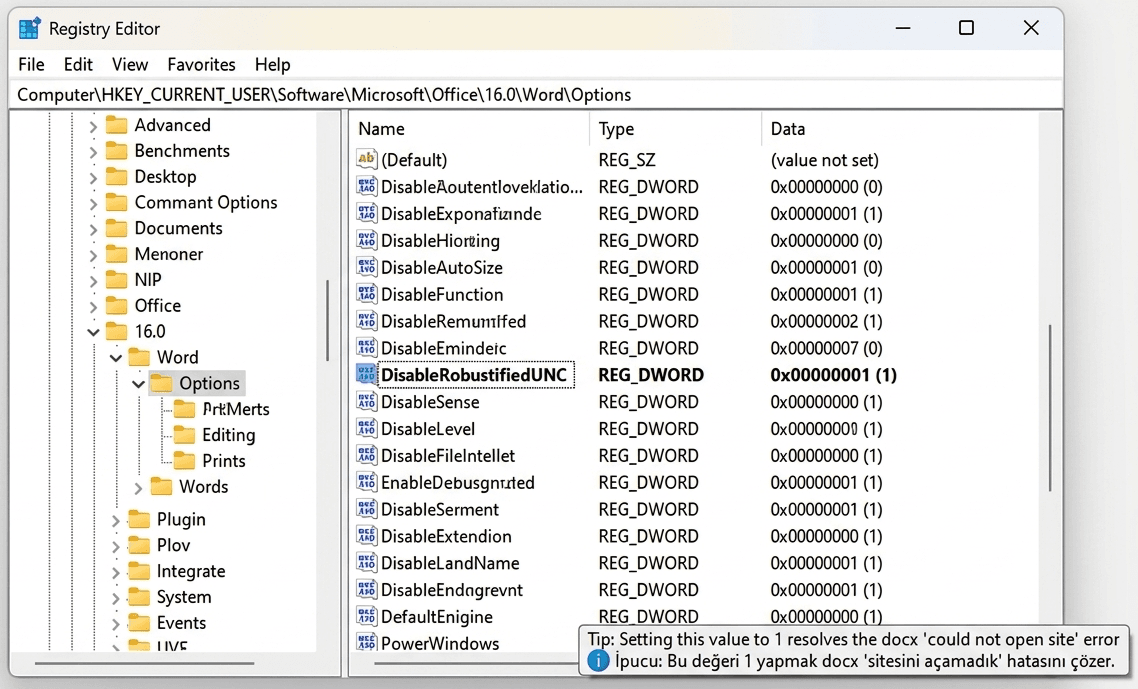
2. Navigate to Word Options: Go to the following path: HKEY_CURRENT_USER\Software\Microsoft\Office\16.0\Word\Options (Note: Change 16.0 to your specific Office version if necessary, e.g., 15.0 for Office 2013.)
3. Create the DWORD Value:
Right-click on the right pane.
Select New > DWORD (32-bit) Value.
Name it DisableRobustifiedUNC.
4. Set the Value:
Double-click the new entry and set the Value Data to 1.
Click OK and restart Microsoft Word.
Conclusion
By disabling Robustified UNC, you bypass the extra network path validation layer that causes the protocol mismatch. This is a highly effective fix for environments using Samba shares, older NAS devices, or servers that have recently undergone security hardening updates.
Warning / Disclaimer:
“Although the risk is minimal, I must provide this notification. Please be advised that this method disables a specific Windows/Office feature. The responsibility for any potential security vulnerabilities or inconsistent system behaviors lies solely with the individual applying the solution. The author of this article shall not be held liable for any damages or issues arising from the use of this information.”